📌 How to Pledge via Bank Transfer
Transfer your desired pledge amount using your mobile banking app or by visiting your bank. You may use the QR code or bank details provided.
Save or take a screenshot of the successful transaction, including the reference number.
Send your pledge details via Facebook Messenger:
👉 https://www.facebook.com/JMCIMbinangonan
Include:
👉 https://www.facebook.com/JMCIMbinangonan
Include:
- Full Name
- Amount
- Reference Number
- Transaction Screenshot
Wait for verification. ⏱ Verification may take 1–24 hours.
Receive confirmation from our team once your pledge is verified.
Check your pledge record using the account provided to you.
If you do not have an account yet, you may request one through Facebook Messenger.
🔒 All transactions are verified for security.
Please ensure your reference number is accurate and visible.
🏦 Bank Information
Account Name:
ARTILY B. DIESTRO
ARTILY B. DIESTRO
Account Number:
001639-3366-42
001639-3366-42
Bank:
BPI
BPI
📱 Scan QR Code
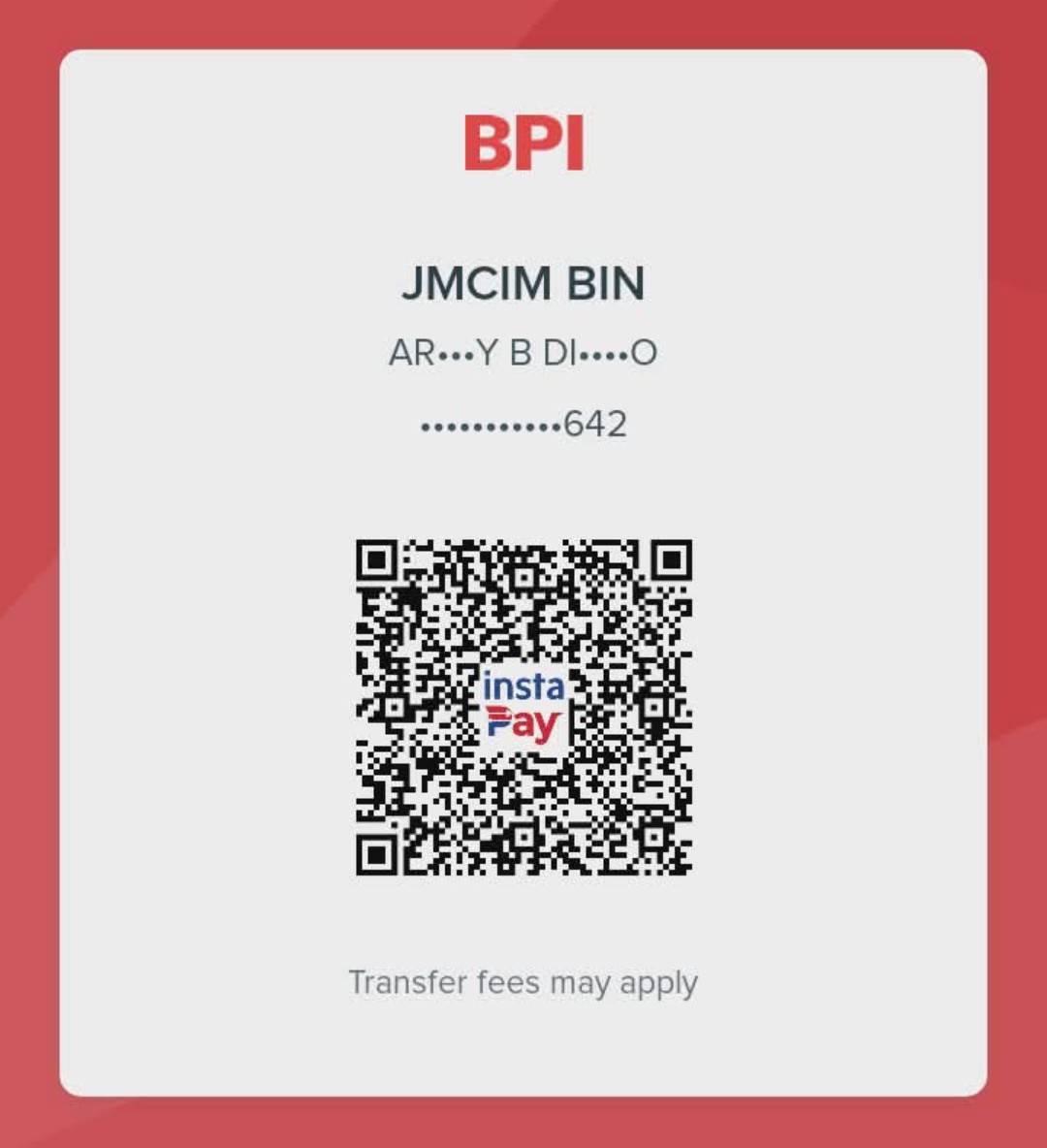

Scan using your mobile banking app